


10 X Brother TN-2450 Compatible Toner Cartridge 3,000 Page
- Sku: 10XBR2450C
- Vendor: Compatible Toner
- Type: Brother Mono Device - Compatible Toner
Our Price:
| Brother OEM Code |
Brother TN-2450 |
| Brand |
Looking on Brother TN-2450 Toner? Inkmasters guarantees the lowest price on the Brother TN-2450 toner. We always compare or competitors pricings and ensure our pricing is the lowest and most competitive, should you find a better price please kindly let us know and well better it for our customers |
| Print Yield |
3,000 pages. |
| Manufacture Type |
Compatible |
| Product Type |
1x Brother TN2450 Toner Cartridge Premium Compatible |
| Colour |
Black |
| How to install the Brother TN-2450 Toner |
The Brother machine has separate consumables the toner cartridge and the drum unit. Verify you replace only the toner cartridge and not the drum unit. Follow the steps below to clear the Replace Toner message. 1. Make sure that the machine is turned on. Open the front cover. 2. Remove the toner cartridge and drum unit assembly from the machine. 3. Push down the green lock lever and take the toner cartridge out of the drum unit. 4. Unpack the new toner cartridge. Remove the protective cover. 5. Put the new toner cartridge firmly into the drum unit until you hear it lock into place. 6. Make sure you put the toner cartridge in correctly or it may separate from the drum unit. 7. Clean the corona wire inside the drum unit by gently sliding the green tab from left to right and right to left several times. 8. Be sure to return the tab to the Home position (). The arrow on the tab must be aligned with the arrow on the drum unit. If it is not, printed pages may have a vertical stripe. 9. Install the toner cartridge and drum unit assembly back into the machine. 10. Close the front cover of the machine. After replacing a toner cartridge, DO NOT turn off the machine or open the Front cover until the machines display returns to Ready Mode. |
| Product Description |
This Brother TN-2450 Black Toner Cartridge is great for ensuring that your printer continues to produce sharp, crisp and professional documents. Its specially designed to work with Brother printers and is easy to install so you can do it yourself. The toner is designed to work at specific temperatures for great quality print results. 100% warranty. Easy to install and exceptional print quality time after time print after print. Compatible Brother TN2450 Toners represent big cost savings and if they have been remanufactured by a reputable company then they will ALWAYS equal and in many cases exceed the yield of the Genuine product. ... Cost - generally a compatible toner will sell for 50 - 150% Cheaper than the Genuine OEM Toner |
| Item name | Brother TN-2450 Black Toner Cartridge |
| Toner Reset Instructions |
Brother TN-2450 Toner Reset
Brother MFC-L2713DW 1. Press Menu. 2. Press the Up or Down arrow key to display the General Setup option, and then press OK. 3. Press the Up or Down arrow key to display the Replace Toner option, and then press OK. 4. Press the Up or Down arrow key to display the Continue or Stop option,select Continue and then press OK. 5. Press Stop/Exit. HL-L2375DW / HL-L2350DW / HL L2395DW 1. Press the Up or Down arrow key to choose General Setup, and then press OK. 2. Press the Up or Down arrow key to choose Replace Toner, and then press OK. 3.Press the Up or Down arrow key to choose Continue or Stop. 4. Press Go. HL L2395DW / MFC L2730DW / MFC-L2750DW 1. Press Settings (Settings) > All Settings > General Setup > Replace Toner. 2. Press Continue or Stop. 3. Press Home (Home). HL L2710 1. Open front door of printer (toreveal the cartridge mechanism) and “Front Door Open” will flash on themonitor. Good. 2. Next, press STOP/EXIT and CLEAR at the SAME TIME(quick press) 3. Immediately after, press CLEAR once again. 4. A menu called RESET MENU willappear. 5. Click the DOWN ARROW until yousee TNR-STD 6. Click OKAY 7. Click UP ARROW To Confirm thereset. |
Delivery Information
When purchasing from Inkmasters.net.au, you will enjoy fast delivery to most parts of Australia, we use a range of courier services, depending on location and efficiency.
All in stock items will be dispatched same day for orders placed before 2pm.
Shipping Charges
We offer free shipping for PPE and toner orders over $199.
Deliveries to rural and country areas, including NT and WA, and for large or bulky items, additional freight charges may apply. To confirm any extra delivery costs, please contact us at 1300 898 591. Alternatively, our friendly staff will contact you to provide a quote for the actual freight charges. You can choose to accept or decline the quote. If you accept, we will invoice you for the charges. If you decline, we may need to cancel your order and issue a refund if it has already been paid.
Have a question?
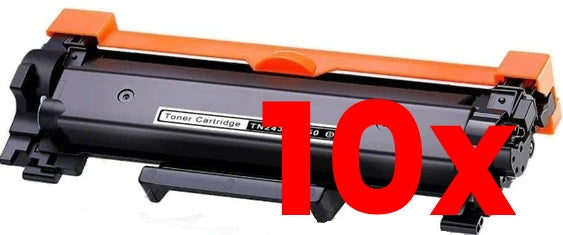
10 X Brother TN-2450 Compatible Toner Cartridge 3,000 Page