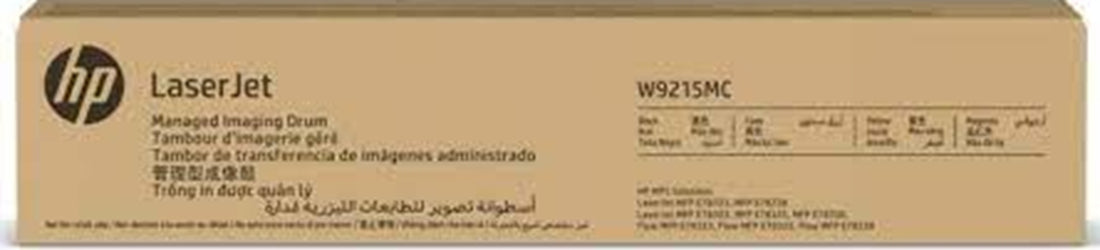
The HP W9215MC Imaging Drum Unit is a genuine OEM component designed for HP Color LaserJet Managed MFP printers, including models E78323dn, E78325dn, and E78330dn. With an impressive page yield of up to 135,000 pages at 5% coverage, it ensures long-lasting performance and consistent print quality. This drum unit is engineered to meet the high-volume printing demands of businesses, providing reliable and efficient operation.
- OEM Code: W9215MC
- Manufacturer: HP
- 1 x Genuine Imaging Drum Unit
- It has an estimated page yield of 135,000 pages
DESCRIPTION
- The HP W9215MC Imaging Drum Unit is a genuine OEM component designed for HP Color LaserJet Managed MFP printers, including models E78323dn, E78325dn, and E78330dn. With an impressive page yield of up to 135,000 pages at 5% coverage, it ensures long-lasting performance and consistent print quality. This drum unit is engineered to meet the high-volume printing demands of businesses, providing reliable and efficient operation.
Specifications:
- OEM Code: W9215MC
- Manufacturer: HP
- Manufacture Type: Genuine
- Product Type: 1 x Imaging Drum Unit
- Yield: It has an estimated page yield of 135,000 pages
- Package Includes: 1x Genuine HP Laserjet W9215MC Imaging Drum 135,000 Prints
Suitable Machines:
- HP Color LaserJet Managed MFP E78330dn
- HP Color LaserJet Managed Flow MFP E78325z
- HP Color LaserJet Managed MFP E78325dn
- HP Color LaserJet Managed Flow MFP E78330z
Fast & Reliable Australia-Wide Delivery!
- We take pride in offering quick, efficient, and hassle-free delivery across Australia. No matter where you are, we ensure your orders are dispatched promptly and arrive on time, every time. With our trusted delivery network, you can count on us for secure, fast, and convenient shipping—so you get what you need, when you need it!
FAQ's
What's the difference between a toner and ink?
Toner and Ink are printing materials, but they work differently:
Toner:
- Used in laser printers and photocopiers.
- Powder-based.
- Heat is applied to fuse toner onto paper.
- Ideal for high-volume printing.
Ink:
- Used in inkjet printers.
- Liquid-based.
- Deposited on paper through tiny nozzles.
- Great for photo printing and color accuracy.
How often do I need to replace the toners in my printer / photocopier?
- The number of prints or copies your toner can produce depends on the type of printer and toner cartridge, with the actual output influenced by the colour density of the prints. Typically, toner replacement frequency depends on your printing usage. On average, expect to replace toner cartridges every 1,500 to 10,000 pages. Larger laser printers may have high-capacity toners that can yield up to 30,000 pages. High-volume printing may require more frequent replacements, while occasional users can go longer. Monitor print quality and follow manufacturer guidelines for optimal performance.
What factors affect the life cycle of the toner?
- Print Volume: Higher print volumes lead to more frequent replacements.
- Document Complexity: Complex prints (graphics, photos) use more toner.
- Printer Settings: High-quality prints and colour mode consume more toner.
- Paper Type: Coated or heavy paper may use more toner.
- Environmental Conditions: Extreme temperatures and humidity can affect toner.
- Manufacturer Quality: Genuine toners often last longer than generic or compatible ones.
Monitor these factors to optimise toner life and maintain print quality.
What is the shelf life of copier toner?
The shelf life of copier toner is typically 12 to 36 months. To maximise effectiveness:
- Storage Conditions: Keep toner in a cool, dry place away from direct sunlight.
- Sealed Packaging: Store toner cartridges in their original, sealed packaging.
- Avoid Extremes: Keep toner away from extreme temperatures.
After the expiration date, toner quality may decline. If unsure, check the manufacturer's recommendations on the packaging.
How do I replace the toner cartridge in my photocopier?
- Changing your photocopier's toner is easy! When the display warns you it's low, open the toner compartment, release the old one, and pop in the new cartridge. Don't forget to remove the protection tab. Print a test page to be sure. Need help? Check your manual or ask your copier service. It's a breeze!
How many toner cartridges does my printer require?
- The number of toners your printer needs depends on the printer model and its configuration. Printers can have a single black toner cartridge for monochrome printing or multiple cartridges, including colour toners (cyan, magenta, yellow) for colour printing. Check your printer's manual or specifications to determine the exact number and types of toner cartridges required for optimal performance.
Let's hit the buy button and get it going!



![4 Pack HP 32XL 31 Compatible Ink Cartridges 1VV24AA-1VU28AA [1BK, 1C, 1M, 1Y]](http://tonery.com.au/cdn/shop/files/HP314XLC0.jpg?v=1790910847&width=400)
![5 Pack HP 32XL 31 Compatible Ink Cartridges 1VV24AA-1VU28AA [2BK, 1C, 1M, 1Y]](http://tonery.com.au/cdn/shop/files/HP32XL-5PKC0.jpg?v=1790910786&width=400)
![Genuine 5 Pack HP 32XL 31 Ink Cartridges 1VV24AA-1VU28AA [2BK, 1C, 1M, 1Y]](http://tonery.com.au/cdn/shop/files/HP32XL-5PK0.jpg?v=1790910728&width=400)